Web Sponsored

Sign up for PayPal and start accepting credit card payments instantly.
Showing posts with label Tutorials. Show all posts

Sunday, March 14, 2010

MP3,MP4,MP5 HARDWARE TIPS


Download link:

http://www.ziddu.com/download/8705382/mp4Hardware.exe.html

Sunday, January 31, 2010

New Way To Activate TRIAL in KASPERSKY UPDATE

This is a solution after beta method is blocked.....

Update (30 Jan) – Finally another way is out! Our smart readers ‘Stalin & Mr. Fix it’ have provided a quick and simple solution via comments to use Kaspersky for FREE Smile Check the new procedure below:

1. Delete any license keys first.

2. Disable Self-Defense and Exit kaspersky.

3. Change the ProductStatus back to Release in registry.

4. Double click PCID and change the last 3 digits to what ever you want in the Bracket and click Ok.


5. Exit registry editor and restart kaspersky.

6. Select activate trial license and you should now have 30 or 31 days remaining. Repeat this method any time to reset to 30 days

How to create an iTunes Account without using a credit card!


Well, i was just trying to find a way to create a iTunes account without a credit card, and i found a way

1. Open iTunes
2. Go to itunes store
3. on the left hand side, go to app store
4. down the bottom left, there is a section with "free apps"
5. select any one of them
6. click "download this app"
7. click create an account
8. continue as usual
9. in the payment section, select "none"
10. continue as usual
11. you have an itunes account

Wednesday, January 27, 2010

Mozilla Firefox Hack

Load web pages at HI Speed


go to the address bar of Firefox and type


1. about:config

Right click and select

2.New>Integer

Name the integer

3. nglayout.initialpaint.delay


Change the integers value to
-> 0
What this does is tells Firefox
to wait 0 seconds before
loading the page

so the page loads extremely fast

Sunday, January 17, 2010

Login with Multiple login's in Yahoo Messenger

Login with Multiple login's in Yahoo Messenger

You can login with multiple id's on the sameYahoo messenger without any
download or patch .
Follow these steps :

1. Go to Start ----> Run . Type regedit, then enter .

2.Navigate to HKEY_CURRENT_USER ----> Software --->Yahoo --->pager--->Test

3.On the right page , right-click and choose new Dword value .

4.Rename it as ---> Plural

5.Double click and assign a decimal value of 1.

Its done!!Now close registry and restart Yahoo messenger and try Multiple Login

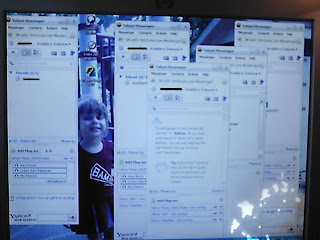
Just click your yahoo icon
When you log into another name just click the box that comes up.. and log in lots of them ...

I have a cheap camera that don't take good pics
only outside i broke my flash


open multiple yahoo messenger without any patch or program

A lot of people use the A-patch or Messenger plus to open 2 or more windows live accounts at the same time.

now you can open more than 2 accounts at the same time with the following trick


Code:


for windows XP
open start > Run > Regedit > HKEY_LOCAL_MACHINE >


SOFTWARE > Microsoft > Windows Live

- then right click on messenger key
- choose new > DWORD Value
- Rename this entry to Multipleinstances
- Ensure that the value of this entry is 1 not 0 and HEXADECIMAL

for windows vista 64-bit

open
HKEY_LOCAL_MACHINE > SOFTWARE > Wow6432Node > Microsoft >
Windows Live.
then follow up the previous steps


Just say thanks
best regards

open multiple yahoo messenger without any patch or program

A lot of people use the A-patch or Messenger plus to open 2 or more windows live accounts at the same time.

now you can open more than 2 accounts at the same time with the following trick


Code:


for windows XP
open start > Run > Regedit > HKEY_LOCAL_MACHINE >


SOFTWARE > Microsoft > Windows Live

- then right click on messenger key
- choose new > DWORD Value
- Rename this entry to Multipleinstances
- Ensure that the value of this entry is 1 not 0 and HEXADECIMAL

for windows vista 64-bit

open
HKEY_LOCAL_MACHINE > SOFTWARE > Wow6432Node > Microsoft >
Windows Live.
then follow up the previous steps


Just say thanks
best regards

open multiple yahoo messenger without any patch or program

follow up this trick and you will see the result


Code:


Start > Run > Regedit > HKEY_CURRENT_USER > Software > Yahoo >

Pager > test

- right click on test
- choose new > Dword value
- rename it to plural
- make sure that the value is 1 not 0 and Hexadecimal

Make any song on your computer a ringtone on your iPhone....

So after a bit of reading I've figured out a way to make your own ringtones out of any song on your computer for your iPhone.

It goes like this.

1. Add file(s) to your iTunes library.

2. Right click Get Info, then options tab.

3. Make the start time and stop time the duration of the ringtone you'd like to use (no longer than 40 seconds though). For example, if you'd like to use the first 40 seconds of a song, make the start time 0:00 and the end time 0:40. If you want to use from 1:40-2:20 then do it like that, just make sure you use whichever part of the song you want to be your ringer and also make sure it doesn't exceed 40 seconds. After you've selected which part of the song will be your ringer, click OK.

4. Right click the song, and click 'Convert Selection to AAC'.

5. Go to your desktop, and make a folder called Ringtones. Once you've done that, go back to iTunes, right click the newly created clip and click copy. Paste it in the folder you just made.

6. Rename the file from whateversongyoupicked.m4a to whateversongyoupicked.m4r (in order to see file extensions you might have to play with your settings a bit) (whateversongyoupicked is just the example, you don't need to change the name of the song, just the extension).

7. Double click the file and it will add it to the ringtones library in iTunes.

8. Sync/Resync your iPhone, and it will be added as a ringtone.

Free, easy, hackless.

Friday, December 25, 2009

Kaspersky 2010 Lifetime Hack!!

Kaspersky 2010 Lifetime Hack!!


If ur internet is slow and if the images will never open

Follow these Screenshot and my explanation

Quote:
1)Cut off the Internet !! . THIS IS IMPORTANT!!!
I suggest u to power off the modem or Disconnect that Ethernet Cable Twisted Evil

Then , delete the existing key (If any)


Quote:
2) Open your Kaspersky 2010 product (Either KIS or KAV)
Then click on settings (Top right Corner).

Uncheck the "Enable protection" Check box


Quote:
3)In the settings window itself , go to "Options"

And uncheck these two chack boxes

i) "Enable Self-Defense"
ii)"Disable External service control"


Quote:
4)Goto Start>Run>Type "regedit"> OK.
Then go to

HKEY_LOCAL_MACHINE>SOFTWARE>KasperskyLab>environment.

Then on the right list , double click on "ProductStatus"

Then , in the "Value Data" Field . replace "Released" with "Beta" and click O


Quote:
5)Then Open Kaspersky 2010 Product .
Click on Settings (Top right corner)

Now , Check these check boxes :-

i)"Enable protection" (In "Protection" sub menu)
ii)"Enable Self-Defense" (In "Options" sub menu)
iii)"Disable External service control" (In "Options" sub menu)

Click on "OK"


Quote:
6) Close the error message saying that "Protection is not running" .

This is just caz , u have not installed any key and the product is not registered also


Quote:
7) Restart your PC !

THIS IS A MUST , IF U DONT RESTART , THIS TRICK WILL NOT WORK


Quote:
8) Now , after restart , Open Your Kaspersky product .

Then click on "License" (Somewhat in the middle in the bottom)
Click on "Activate new license"
then click on "Activate Beta License"
then click on "Next"


Quote:
Now , you got yourself an genuine 30 days key given by the kaspersky servers itself


What after the key gets blacklisted ?? Neutral Shocked
This key will never get blacklisted Because this is very genuine Very Happy

What after 30 days are complete ???? Shocked
Nothing!! Cool . Just click on Activate beta license and click on
Next . Thats it The kaspersky server will give u an
new 30 days genuine key .

Wednesday, October 7, 2009

CHINA Mobile Phones Secret Codes

CHINA Mobile Phones Secret Codes


download link:


http://www.ziddu.com/download/6812392/CHINAMobilePhonesSecretCodes.txt.html